

Phone-camera portraits
Eye-level snapshots that look taken by a friend: ordinary light, real skin texture and a slightly off-center frame. Many of the first #H3Image posts were pictures like this.
H3 Image is MiniMax's new image model; testers report getting early access to it on Hailuo on November 10, 2026. This page explains what it does and gives you prompts for the looks people are testing. Sign up free to make a picture in the generator below, which shows the model it runs, and turn it into a MiniMax H3 video.
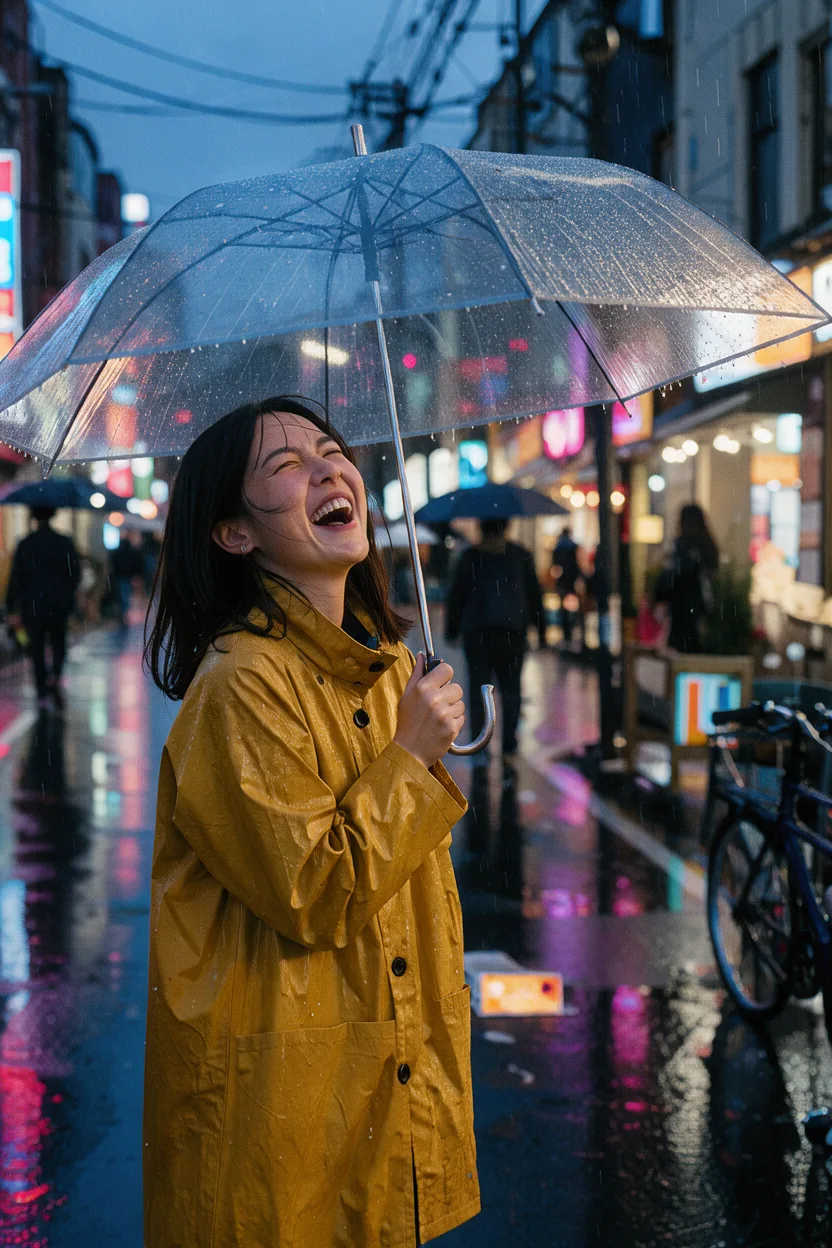
Candid street portrait of a young woman in a mustard raincoat laughing under a clear umbrella on a rainy Tokyo side street at dusk, neon reflections on wet asphalt, shallow depth of field, 35mm film look.
What MiniMax has confirmed, what early-access testers report, and what is still unannounced, as of November 10, 2026.
Yes. MiniMax's launch post for H3 lists text-to-image and image editing among the tasks the model was trained on, and the company's image model, MiniMax H3 Image, has been in early access on Hailuo since November 10, 2026. MiniMax H3 itself, released on July 31, 2026, is an open-weight model built mainly for video: clips up to 15 seconds at 2K with native stereo sound. MiniMax has not yet said how H3 Image relates to the open H3 weights.
A picture made for a video already has the framing, the light and the subject you want to see move, and every MiniMax H3 video model can take that picture as its first frame. On this site you can make a picture and then open it in image to video with MiniMax H3 Max Turbo or H3 Max.
P-H3-Image is not MiniMax's H3 Image. Pruna released P-H3-Image on November 3, 2026 as an open-source image model built from MiniMax H3's open weights, and most results for "h3 image" today point to its Hugging Face page, its ComfyUI workflow and Reddit threads about running it on a home GPU. Its smallest (4-bit) weights are about 20 GB, and Pruna says they need about 21 GB of graphics memory for an 8-megapixel image.
H3 Image is MiniMax's own image model, which testers report reaching through early access on Hailuo a week later. The two share a family name, but they come from different teams and ship in different ways. If you want an open model to run on your own machine, look up P-H3-Image. If you came for the pictures in #H3Image posts on X, those are from MiniMax's H3 Image.
These are the looks early-access testers posted under #H3Image on November 10. Each one makes a good starting point for your own prompt.
Eye-level snapshots that look taken by a friend: ordinary light, real skin texture and a slightly off-center frame. Many of the first #H3Image posts were pictures like this.
One character shown front, side and back, with a row of facial expressions, for comics, game concept art and keeping a face the same from shot to shot.
Related objects laid out flat at right angles on a plain surface and shot from straight above: a gear kit, a desk setup, a camera taken apart.
A product pulled apart into floating layers, CAD style, to show what is inside a sneaker, a watch or a gadget.
Each rewrite starts from the short line most people type first and turns it into a prompt that says what to show, where it goes and how it is lit. These H3 Image prompts follow the looks in #H3Image posts and work with any capable image model; copy one into the generator above to try it.
“anime girl character sheet”
Character reference sheet of one young woman with short silver hair, a green bomber jacket, black cargo pants and white sneakers. Top row: full-body front view, side view and back view in the same neutral pose, evenly spaced on a plain light gray background. Bottom row: six head-and-shoulder close-ups with different expressions, labeled Happy, Angry, Surprised, Sad, Thinking and Laughing. Clean digital illustration, flat even lighting, the same proportions and colors in every view.
“camera gear flat lay”
Knolling photo shot from directly above: a vintage film camera taken apart into its body, lens, lens cap, strap, two film rolls, a cleaning brush and a small screwdriver, all laid out at right angles with even gaps on a pale oak table. Soft daylight from a window on the left, gentle shadows, every object fully visible and none overlapping. Sharp focus from edge to edge, natural colors.
“realistic photo of a woman in a cafe”
An ordinary phone photo taken by a friend across the table in a busy cafe: a woman in her late twenties with messy dark hair and a gray knit sweater, mid-laugh, holding a paper coffee cup. Eye level, slightly tilted framing, her face a little off center. Mixed light from the window and warm ceiling bulbs, a bit of motion blur on her hand, other customers soft in the background. No studio lighting, no retouching, visible skin texture.
Every MiniMax H3 video model here can start from a picture. The still becomes the first frame, so the prompt only has to describe what moves.
This MiniMax H3 Max Turbo sample starts from the fashion still shown as its first frame. The coat, the face and the dunes all come from the still; the prompt asks only for a run of confident editorial poses.
High-fashion editorial photoshoot of a model, captured in a series of dynamic editorial poses: Confident, composed expressions throughout. Shot on a medium-format camera, 80mm lens, f/5.6, tack-sharp focus. Studio lighting with a single large softbox key and a subtle rim light, seamless muted-grey backdrop, clean shadows. Vogue-style composition with generous negative space and intentional cropping, fine film grain, rich fabric texture, magazine-cover quality, ultra-detailed.


All five can start from a picture; Lip Sync also needs an audio clip. They differ in what they are for, how long and how large the clip can be, and the credits per second.
| Model | Choose it for | Length | Sizes | Credits per second | |
|---|---|---|---|---|---|
| DefaultMiniMax H3 Max Turbo | Most clips, at the lowest price | 2 to 15 seconds | 480P, 768P or 1080P | 5 at 480P, 8 at 768P, 20 at 1080P | Try |
| MiniMax H3 Max | Clips that need sound synced to the picture | 5 to 15 seconds | 480P, 768P or 1080P | 10 at 480P, 20 at 768P, 35 at 1080P | Try |
| MiniMax H3 | 2K clips | 5 to 15 seconds | 768P or 2K | 15 at 768P, 30 at 2K | Try |
| MiniMax H3 Max Multi-angle | A preset camera move over one still: dolly in, dolly out or crane up | 5 to 15 seconds | 480P, 768P or 1080P | 10 at 480P, 20 at 768P, 35 at 1080P | Try |
| MiniMax H3 Max Lip Sync | A portrait that talks or sings along to your audio | 5 to 14.8 seconds, as long as the audio | 480P, 768P or 1080P | 10 at 480P, 20 at 768P, 35 at 1080P | Try |
Each tool opens the generator with the right inputs ready.

Describe the picture, any words on it and the light.
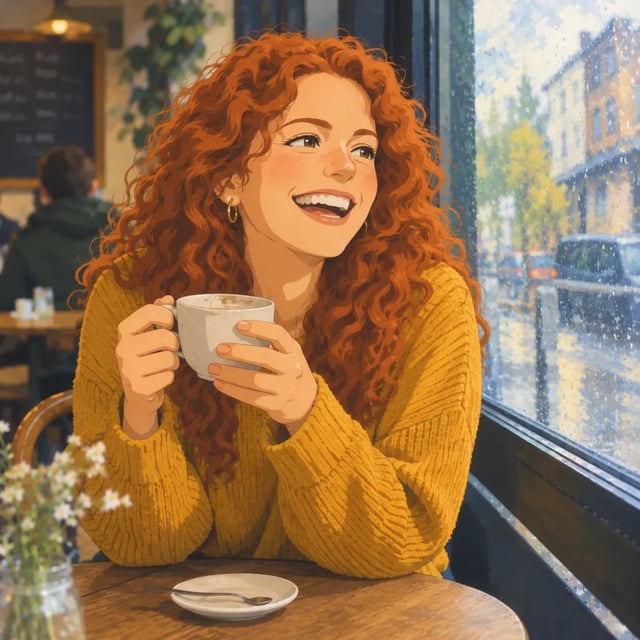
Upload photos and say what to change, from the background to the whole style.

Turn a picture into a 2 to 15 second clip with MiniMax H3 video models.
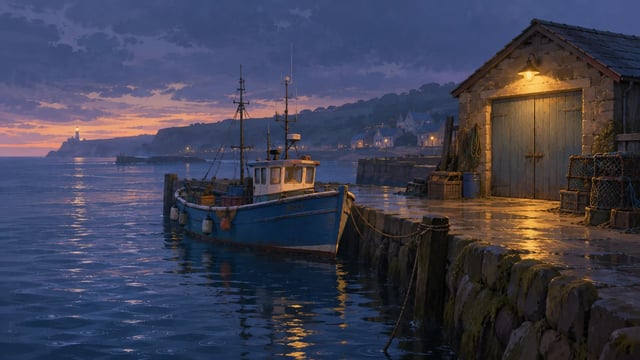
Describe the scene and the camera, and MiniMax H3 makes the clip.
Describe the subject, the framing and the light, or upload reference photos and say what to keep and what to change. The prompt rewrites above are a good place to start.
The model menu names the model that will run, and the generator shows the cost before you start. Stay at 1K while you are still changing the prompt.
Open your picture in image to video, pick MiniMax H3 Max Turbo or H3 Max, describe only what should move, then choose the length and size.
Plans add credits to your account. A picture costs credits by size, and a video costs credits per second by model and resolution; the generator shows the cost before you run.
Up to 166 images or 40 videos
Up to 416 images or 100 videos
Up to 1,250 images or 300 videos
· No card required
Failed runs are refunded automatically · Cancel anytime
H3 Image is MiniMax's new image model. Early-access testers on Hailuo began posting results on November 10, 2026, mostly photoreal scenes, character sheets, and product and game art. MiniMax has not yet published an official announcement or a spec sheet. It is also not the same as P-H3-Image, the open-source model Pruna built from H3's open weights.
MiniMax has not published a price for H3 Image; testers are using it through Hailuo's early access. Separately, a new account on this site gets 10 free credits, enough for a few 1K pictures in the generator above or a 2-second MiniMax H3 Max Turbo clip at 480P. Free pictures carry a watermark until you buy a plan or credit pack.
Not yet. As of November 10, 2026, MiniMax has not published an API, a model ID or a price for H3 Image. The MiniMax H3 video model does have an API on MiniMax's developer platform. This site does not offer a public API.
Early-access testers report up to 16 reference images and output up to 4K, and one tester reports prompts of about 7,500 characters. These numbers come from people using the early-access version, not from an official spec sheet, so treat them as a guide until MiniMax lists the limits. Several testers used the reference images for H3 Image edits that keep one character the same across a sheet of poses and expressions.
Pictures run on the image model named in the menu above the prompt box, so you see what runs before you generate. Videos run on MiniMax H3 models: H3 Max Turbo, H3 Max, MiniMax H3, Multi-angle and Lip Sync.
Yes, if you make them with credits from a paid plan or a credit pack. Results made only with free sign-up credits are for personal use, and free pictures carry a watermark until you buy a plan or credit pack.
No. h3image.com is an independent site and is not run by or affiliated with MiniMax or Hailuo. Testers report that MiniMax's own early access for H3 Image is on Hailuo.
Write a prompt or upload a photo, start free, and turn the result into a MiniMax H3 video.