
H3 Image

H3 Image is MiniMax's open-weight image model, released on November 11, 2026. Try it free in the generator below, then turn any picture you make into a MiniMax H3 video.

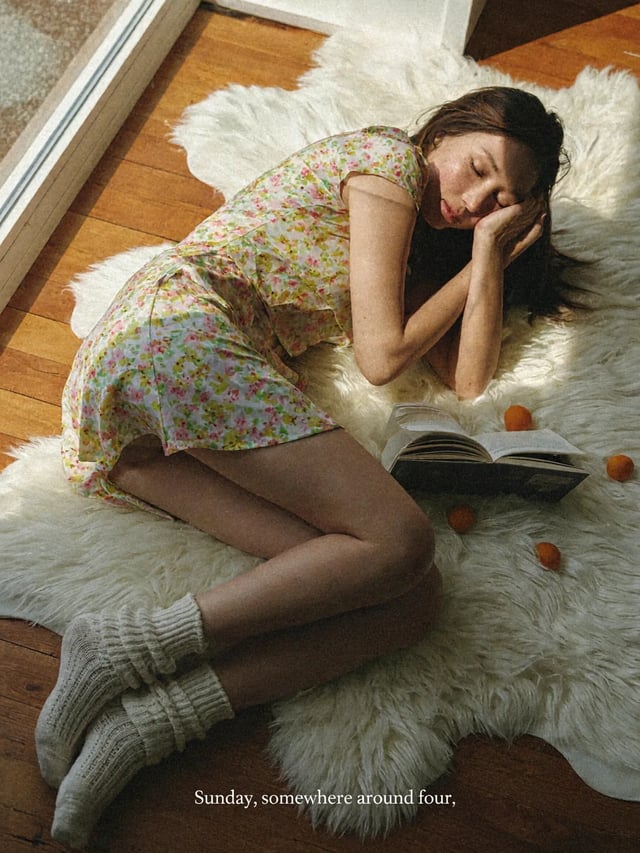
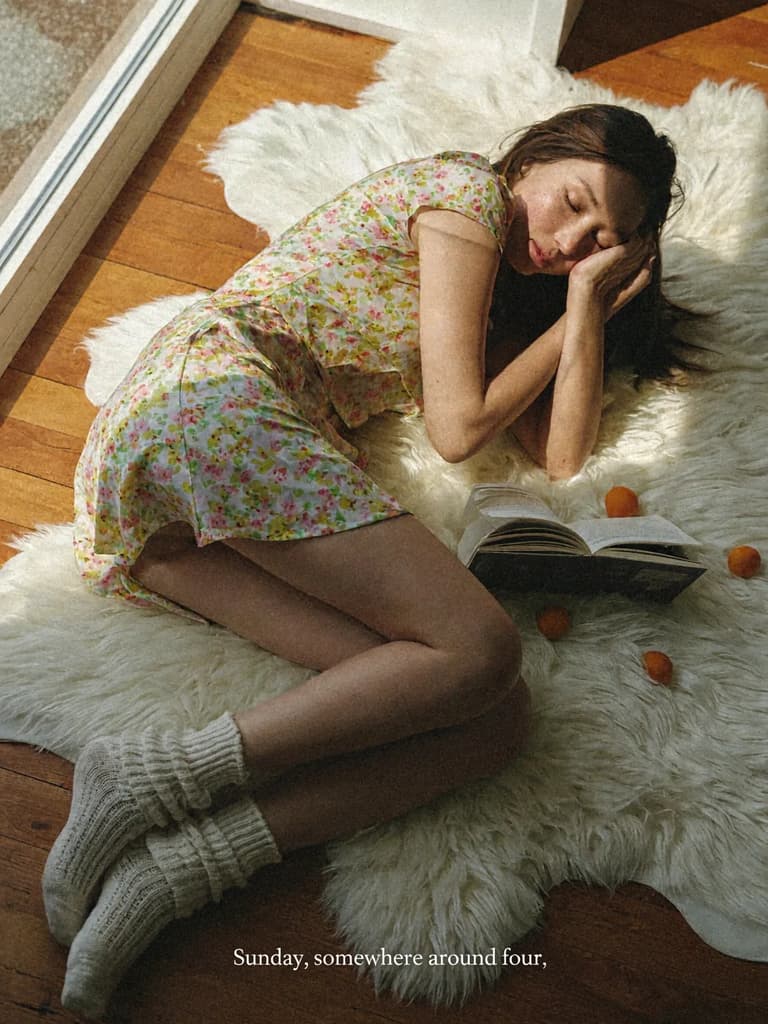
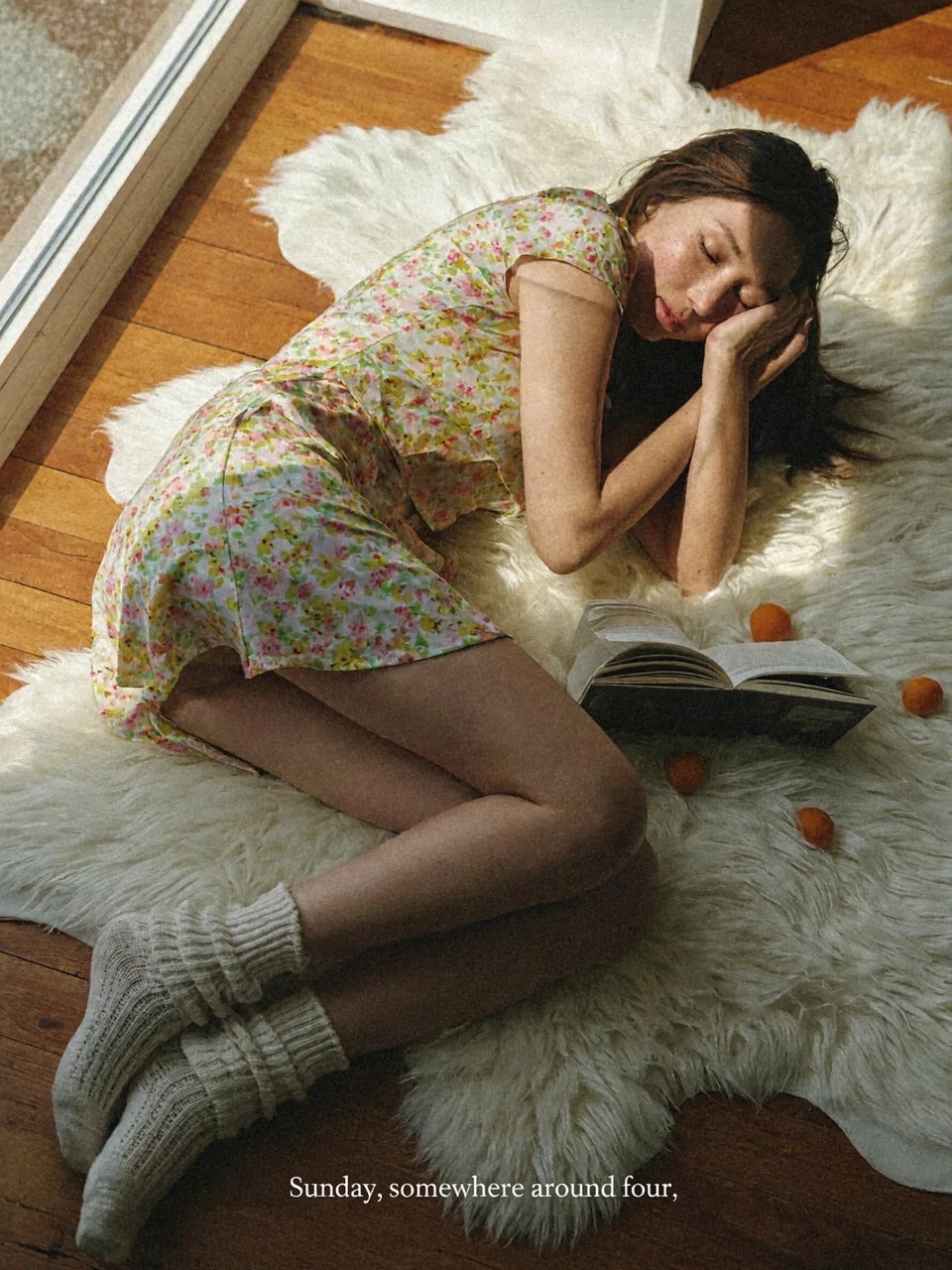
A woman lying on a sheepskin rug in warm afternoon window light
Prompt

A casual phone photo of a woman in her mid-twenties lying back on a white sheepskin rug on a wooden floor beside a sunny window. Long dark hair spread out, one hand resting against her cheek, eyes half closed. She wears a short-sleeved floral summer dress and slouchy cream knit socks. Open paperback books and a few ripe apricots lie on the rug around her. Warm, hard late-afternoon sunlight falls across her in a sharp diagonal, with deep soft shadows. Shot from slightly above, natural skin texture with freckles, light film grain, faded warm colors. A small white serif caption along the bottom edge reads: "Sunday, somewhere around four."

Facts

H3 Image at a glance

What MiniMax published on November 11, 2026 in its announcement, model card and license.

Made by
MiniMax
Built on MiniMax H3, the company's open-weight video model, and available in MiniMax's Hailuo app.
Released
November 11, 2026
Open weights on Hugging Face and GitHub, plus the MiniMax API and the Hailuo app.
What it does
Text to image and image editing
One model does both. Edits take up to 16 reference images, named in the prompt as Image 1, Image 2 and so on (the model card's own code writes <Picture 1>).
Output size
Up to about 16 megapixels
At 4K, from 4096 × 4096 (1:1) to 6272 × 2688 (21:9). A 2K picture on this site is about 4 megapixels.
Prompts
Up to 4,096 tokens
MiniMax recommends a detailed English description; its prompt expander rewrites short prompts into one.
Model size
33.1 billion parameters
About 69 GB of weights, plus MiniMax H3's 67 GB text encoder. It is distilled to 6 sampling steps.
API
MiniMax-H3-Image
Also MiniMax-H3-Image-Highspeed. Both make and edit pictures on MiniMax's API platform.
License
MiniMax community license
Royalty-free where it applies, but it excludes the United States, the European Union, the United Kingdom and South Korea.

MiniMax's H3 Image announcement

Can MiniMax H3 make images?

Yes. MiniMax H3 Image is the image model MiniMax built on H3. MiniMax H3 itself, released on July 31, 2026, is an open-weight model built mainly for video: clips up to 15 seconds at 2K with native stereo sound.

A picture made for a video already has the framing, the light and the subject you want to see move, and every MiniMax H3 video model can take that picture as its first frame. On this site you can make a picture and then open it in image to video with MiniMax H3 Max Turbo or H3 Max.

Can you run H3 Image on your own computer?

MiniMax H3 Image is open-weight: you can download it from Hugging Face and run it with Diffusers, ComfyUI, SGLang or vLLM-Omni, but for most people it will not run at home. The 69 GB model also needs MiniMax H3's 67 GB text encoder, and the hardware MiniMax names for its vLLM-Omni setup is data-center and workstation class, such as the NVIDIA H200, the RTX PRO 6000 Blackwell and the AMD Instinct MI350X; it does not list a minimum graphics card.

Without a large GPU, you can use H3 Image in MiniMax's Hailuo app, through the MiniMax API, or in the h3image.com generator, where any picture you make can also become an H3 video.

MiniMax H3 Image on Hugging Face

What the H3 Image license allows

The MiniMax-H3-Image Community License covers downloading and running the weights yourself, and it is royalty-free. It does not apply in the United States, the European Union, the United Kingdom or South Korea, and that includes using its outputs there. A business with yearly revenue above 1 million US dollars, or anyone offering the model to others as a hosted service, needs written permission from MiniMax first, and a commercial product built on it must show the name MiniMax-H3-Image.

The license also forbids using H3 Image or its outputs to improve other AI models. MiniMax claims no rights over the pictures you generate, so you are responsible for how you use them. Read the full text before you build on the weights.

MiniMax-H3-Image license on GitHub

H3 Image vs P-H3-Image: two different models

P-H3-Image is not MiniMax's H3 Image. Pruna released P-H3-Image on November 3, 2026, about a week before MiniMax's own model, as an open image model fine-tuned from MiniMax H3's open weights, and until this week many results for "h3 image" pointed to its Hugging Face page, its ComfyUI workflow and Reddit threads about running it on a home GPU. Its 4-bit ComfyUI files run in about 21 GB of graphics memory, while the full model needs about 83 GB for an 8-megapixel picture.

MiniMax H3 Image is MiniMax's own model. Both are built on MiniMax H3, but they come from different teams, and H3 Image goes up to about 16 megapixels while P-H3-Image tops out at 8. If you need something that fits a home graphics card, P-H3-Image's smaller files are the realistic option. If you came for the pictures in #H3Image posts on X, those are from MiniMax's H3 Image.

P-H3-Image on Hugging Face

#H3Image

What people are making with H3 Image

These are the looks early-access testers posted under #H3Image on November 10, the day before the public release. Each one makes a good starting point for your own prompt.

  • 01

    Phone-camera portraits

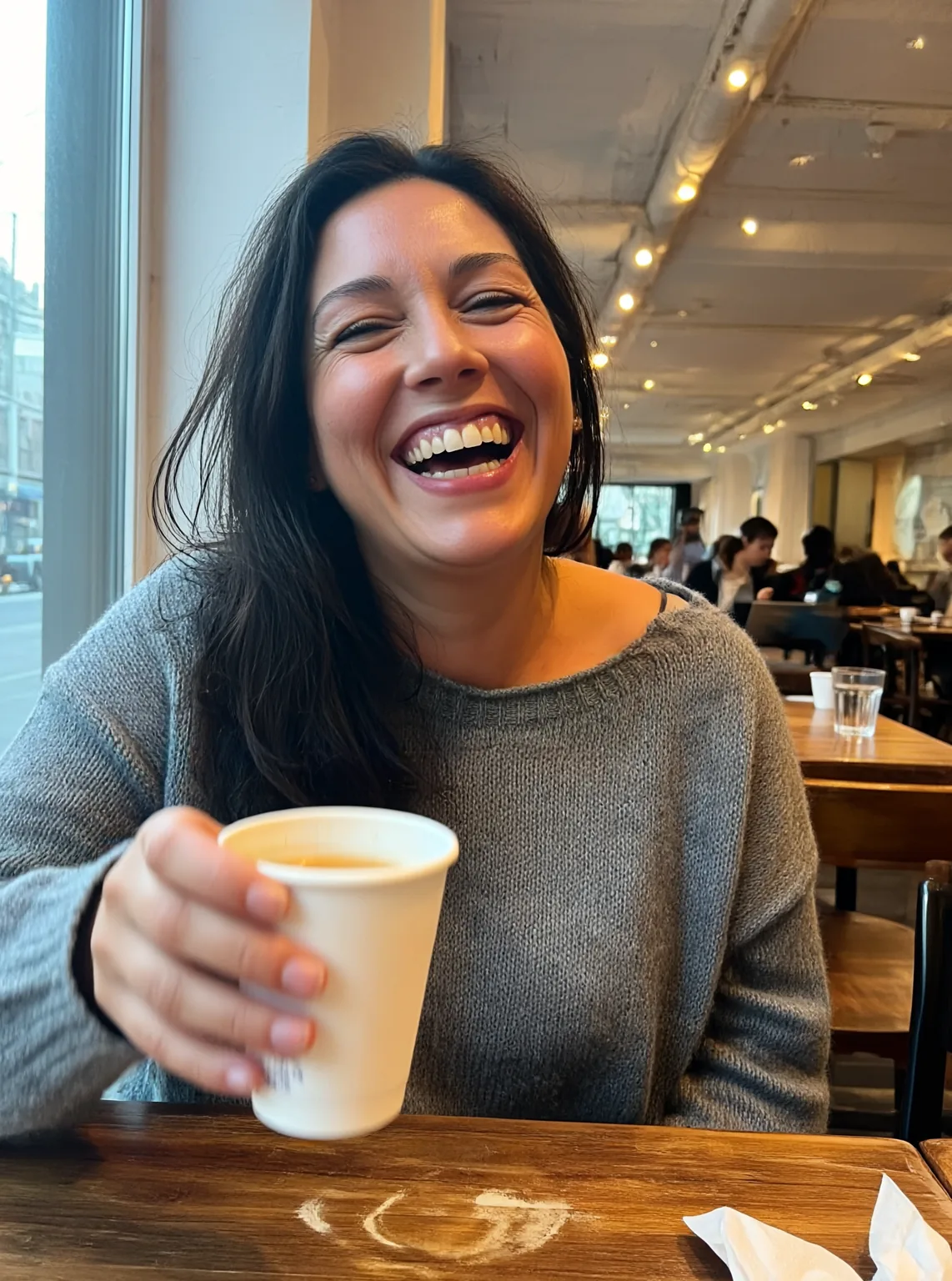
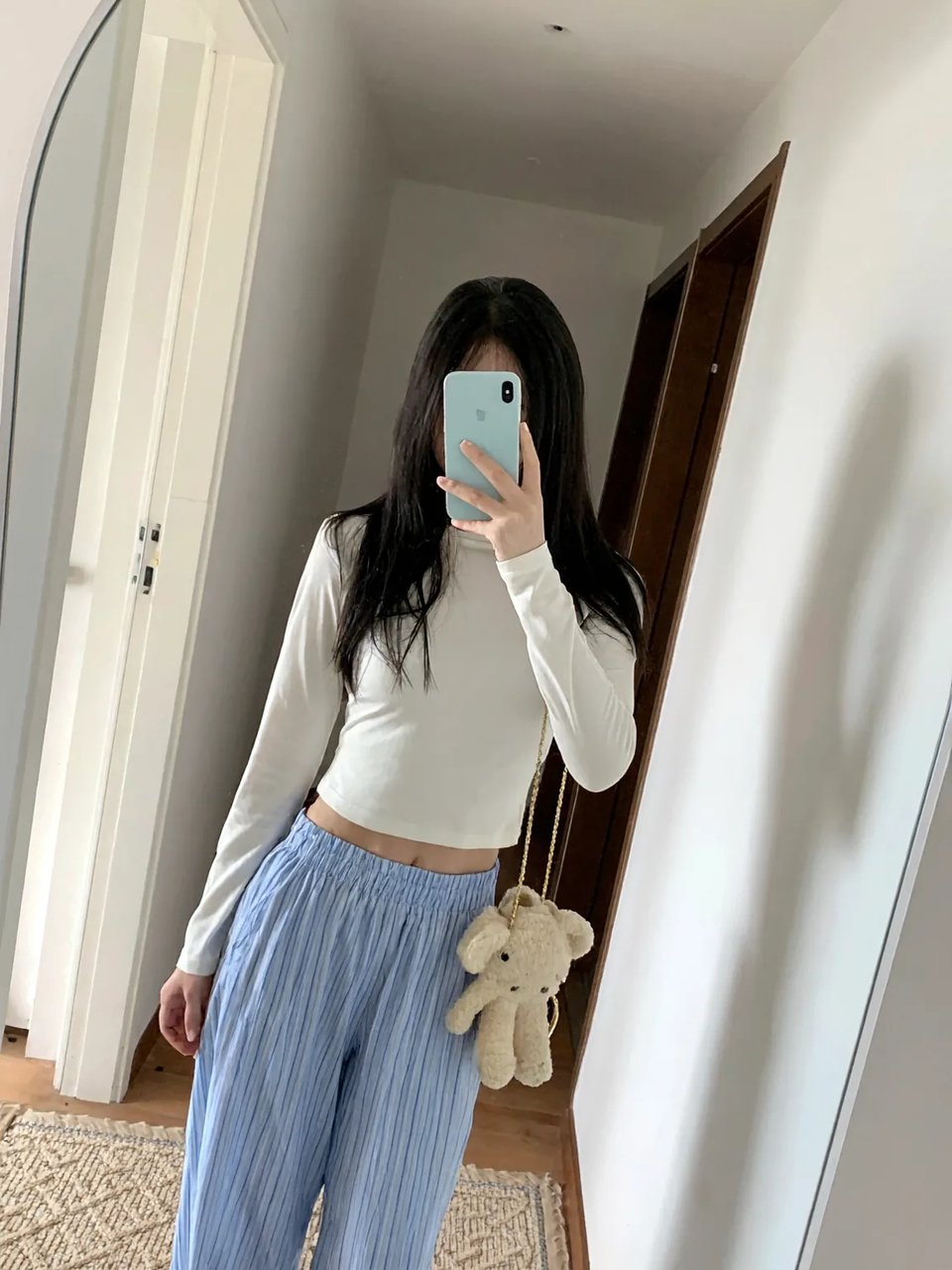
    Eye-level snapshots that look taken by a friend: ordinary light, real skin texture and a slightly off-center frame. Many of the first #H3Image posts were pictures like this.

  • 02

    Character sheets

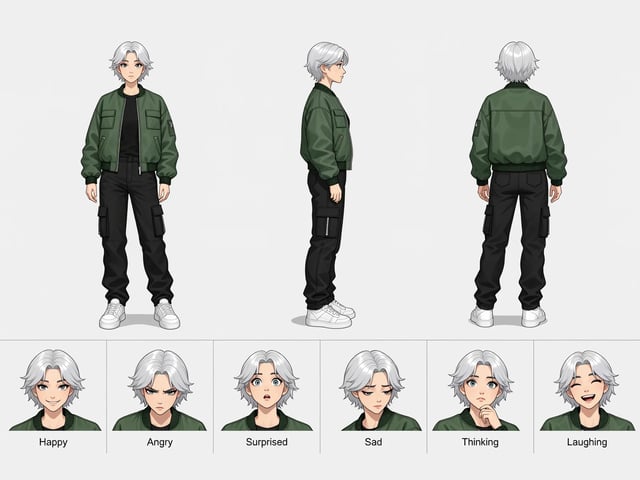
    One character shown front, side and back, with a row of facial expressions, for comics, game concept art and keeping a face the same from shot to shot.

  • 03

    Knolling flat-lays

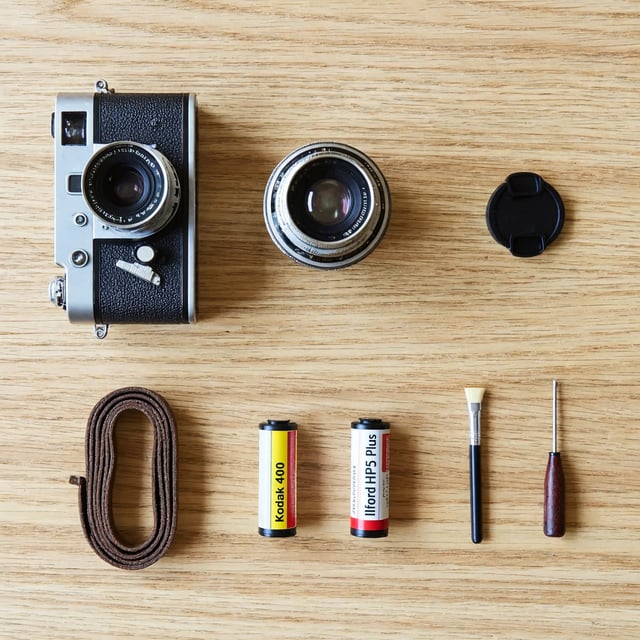
    Related objects laid out flat at right angles on a plain surface and shot from straight above: a gear kit, a desk setup, a camera taken apart.

  • 04

    Exploded product views

    A product pulled apart into floating layers, CAD style, to show what is inside a sneaker, a watch or a gadget.

Real results

H3 Image portraits in the #H3Image style

Many of the first #H3Image posts were soft, Instagram-style portraits. We wrote three prompts in that style and ran each one once on MiniMax H3 Image at 2K on November 11, 2026. These are the first results, unedited; copy a prompt into the generator to try it.

A woman in a floral summer dress lying on a sheepskin rug in warm afternoon window light, with a small caption along the bottom

Afternoon light on the floor

  • 3:4
  • Model MiniMax H3 Image
  • Size 1728 × 2304 (2K)
  • Time 17 seconds

Prompt

A casual phone photo of a woman in her mid-twenties lying back on a white sheepskin rug on a wooden floor beside a sunny window. Long dark hair spread out, one hand resting against her cheek, eyes half closed. She wears a short-sleeved floral summer dress and slouchy cream knit socks. Open paperback books and a few ripe apricots lie on the rug around her. Warm, hard late-afternoon sunlight falls across her in a sharp diagonal, with deep soft shadows. Shot from slightly above, natural skin texture with freckles, light film grain, faded warm colors. A small white serif caption along the bottom edge reads: "Sunday, somewhere around four."

Prompt rewrites

H3 Image prompts for the looks people are testing

Each rewrite starts from the short line most people type first and turns it into a prompt that says what to show, where it goes and how it is lit. We ran each of these H3 Image prompts once at 2K on November 11, 2026; the picture is the first result. Copy a prompt into the generator above to try it.

Character sheet with expressions

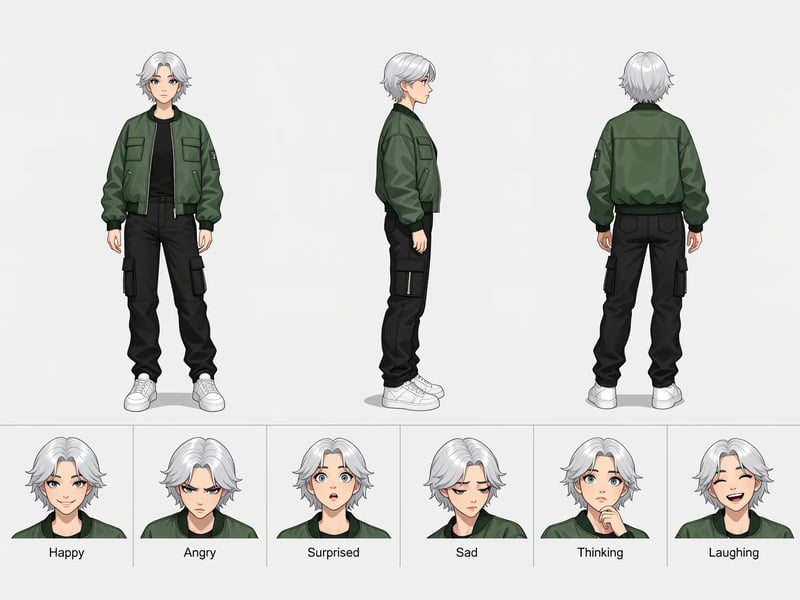
First try: "anime girl character sheet". The rewrite names one outfit, two rows and six labels. H3 Image returned this in 15 seconds: all six labels are spelled right, and the jacket, hair and shoes match in the three body views.

Rewritten prompt

Character reference sheet of one young woman with short silver hair, a green bomber jacket, black cargo pants and white sneakers. Top row: full-body front view, side view and back view in the same neutral pose, evenly spaced on a plain light gray background. Bottom row: six head-and-shoulder close-ups with different expressions, labeled Happy, Angry, Surprised, Sad, Thinking and Laughing. Clean digital illustration, flat even lighting, the same proportions and colors in every view.

Subject
One person with fixed hair, clothes and shoes, so every view has the same details to repeat.
Layout
The rows and views are named, so you get a predictable grid instead of a loose collage.
Labels
Short words under each face give the sheet its labels and show whether the text comes out right.
Use this prompt
A character reference sheet of a silver-haired girl in a green bomber jacket: front, side and back views above six labeled expressions
Our run · MiniMax H3 Image · 2K

Knolling flat-lay

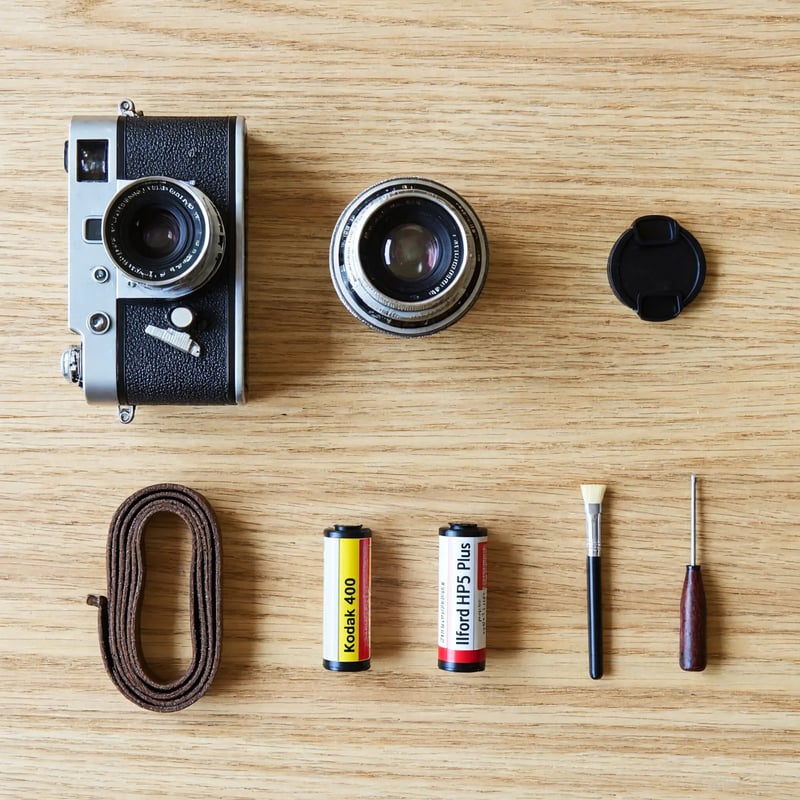
First try: "camera gear flat lay". The rewrite fixes the angle, the list of objects and the spacing. H3 Image returned this in 18 seconds: every listed object is there with even gaps, and the film rolls even carry readable labels. One miss: the camera body kept a lens on it as well as the loose one.

Rewritten prompt

Knolling photo shot from directly above: a vintage film camera taken apart into its body, lens, lens cap, strap, two film rolls, a cleaning brush and a small screwdriver, all laid out at right angles with even gaps on a pale oak table. Soft daylight from a window on the left, gentle shadows, every object fully visible and none overlapping. Sharp focus from edge to edge, natural colors.

Angle
Shooting from directly above is what makes it knolling; without it you get a tabletop still life.
Objects
A short named list keeps the count right and stops random extra items from appearing.
Spacing
Right angles, even gaps and no overlap are the rules of the style, so they belong in the prompt.
Use this prompt
A knolling flat-lay from above of a vintage film camera, a lens, a lens cap, a strap, two film rolls, a brush and a screwdriver on a pale oak table
Our run · MiniMax H3 Image · 2K

Phone-camera realism

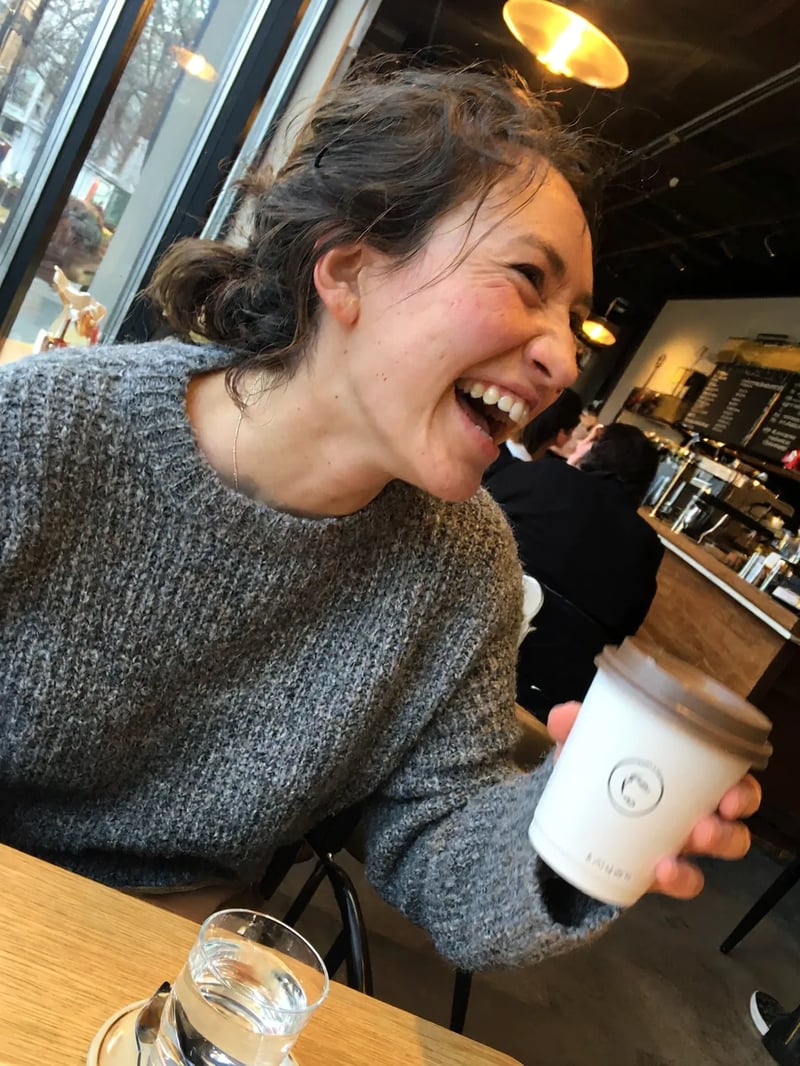
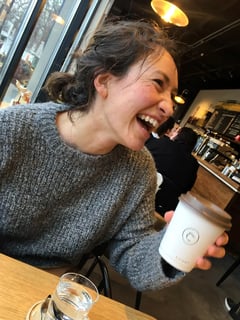
First try: "realistic photo of a woman in a cafe". The rewrite says who took the photo, adds small flaws and rules out studio light. H3 Image returned this in 19 seconds: mixed window and bulb light, visible skin texture, and a background that stays soft.

Rewritten prompt

An ordinary phone photo taken by a friend across the table in a busy cafe: a woman in her late twenties with messy dark hair and a gray knit sweater, mid-laugh, holding a paper coffee cup. Eye level, slightly tilted framing, her face a little off center. Mixed light from the window and warm ceiling bulbs, a bit of motion blur on her hand, other customers soft in the background. No studio lighting, no retouching, visible skin texture.

Camera
Saying who took the photo and with what sets the casual angle and the phone look.
Imperfections
A tilt, a little blur and mixed light are what make a picture read as real rather than polished.
Exclusions
Ruling out studio light and retouching stops the skin from being smoothed over.
Use this prompt
A candid phone photo of a laughing woman in a gray knit sweater holding a paper coffee cup in a busy cafe
Our run · MiniMax H3 Image · 2K
Image editing

H3 Image edits: restyle a photo or combine two

H3 Image edits with up to 16 reference pictures, named in the prompt as Image 1, Image 2 and so on. Both edits below ran on November 11, 2026, using pictures from this page as input.

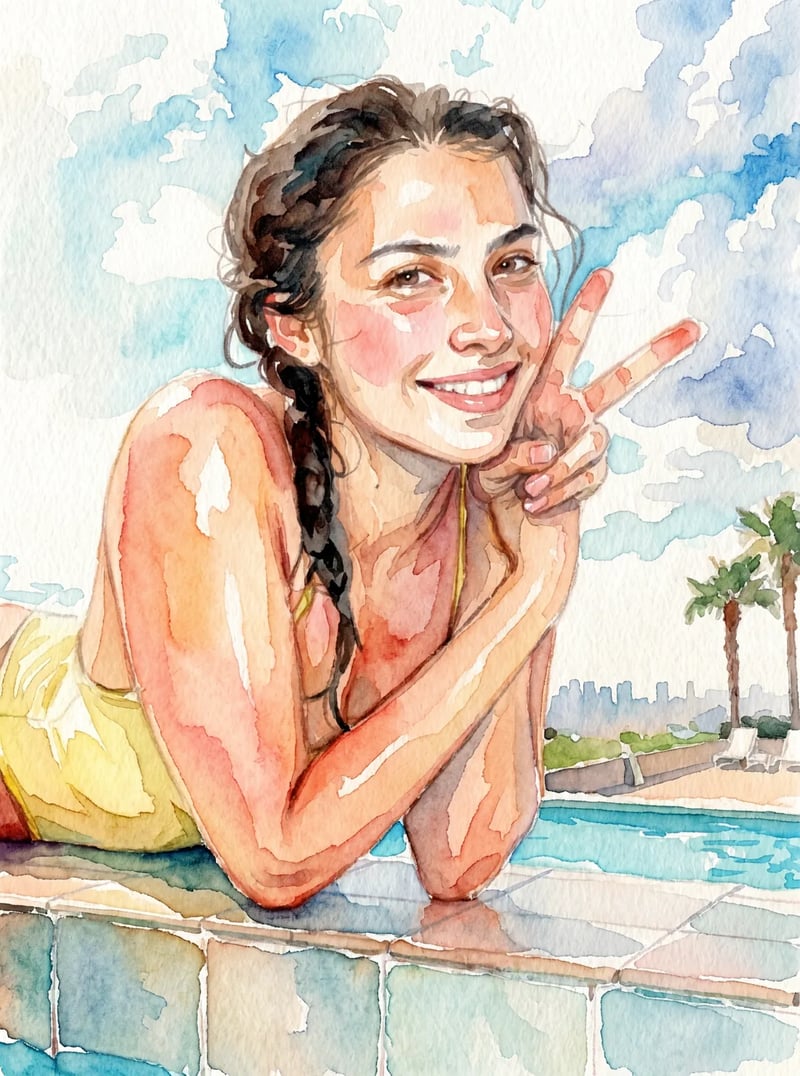
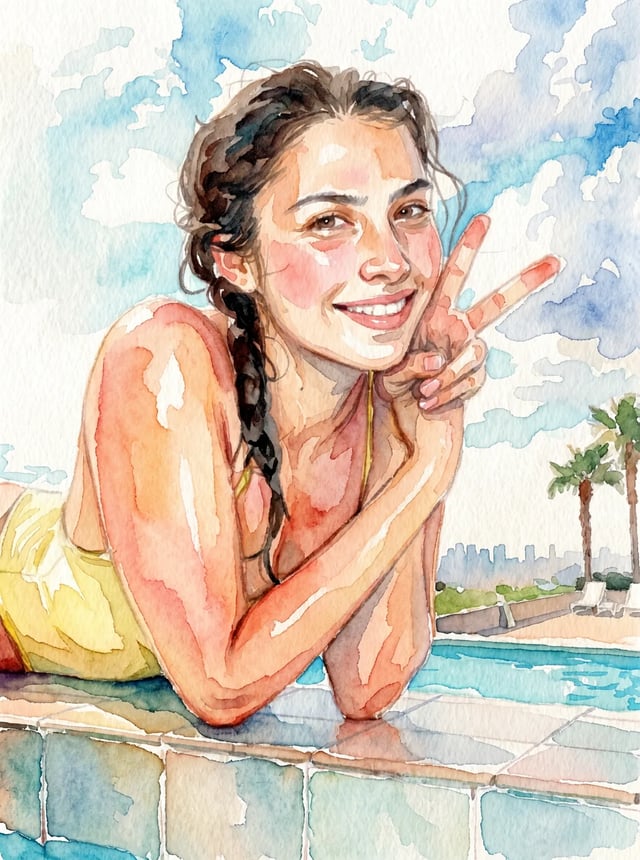
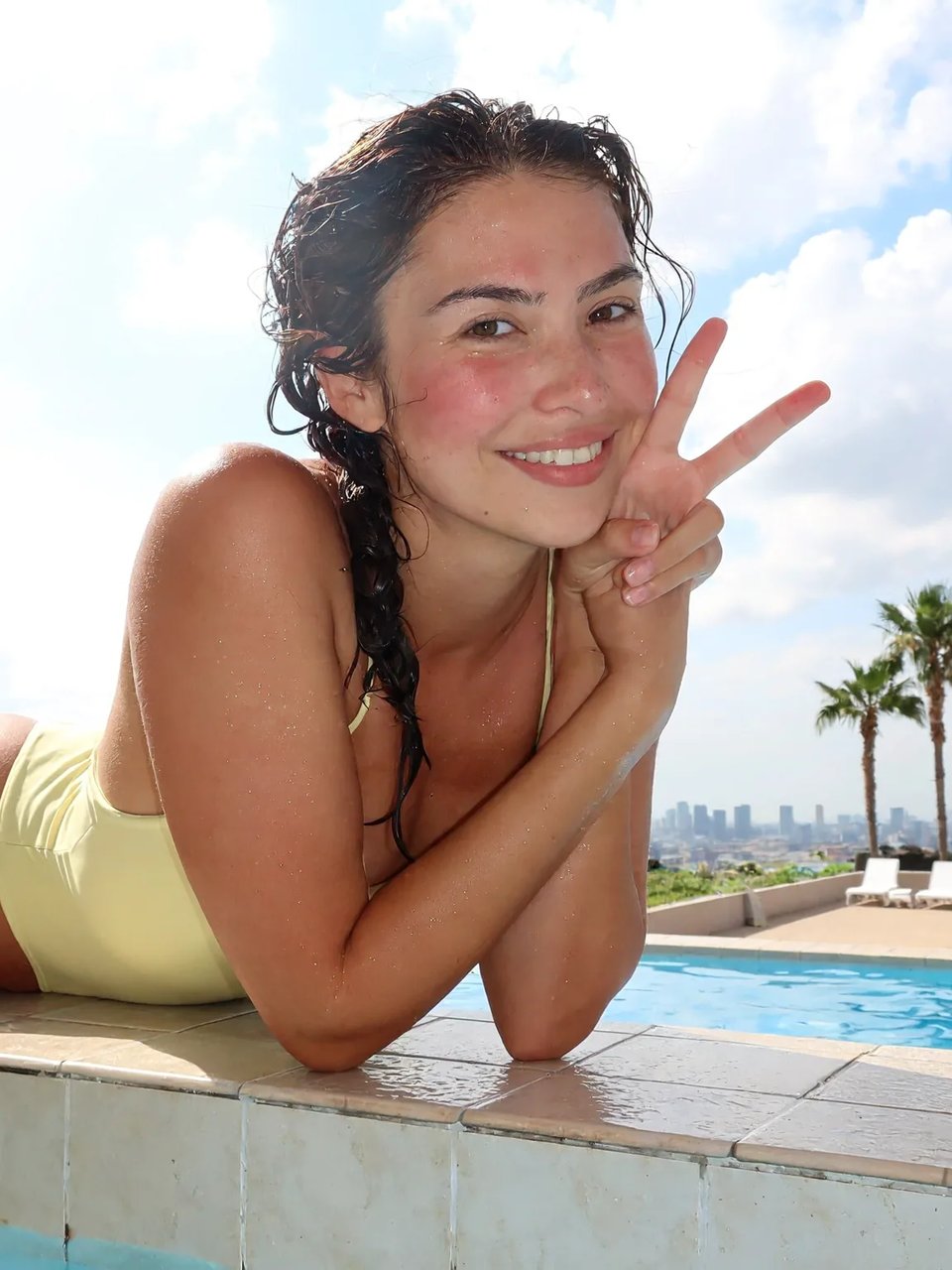
The same poolside scene repainted as a watercolor illustration
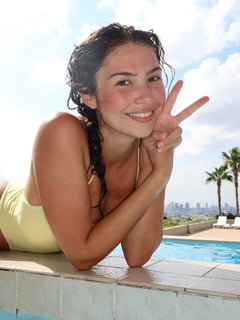
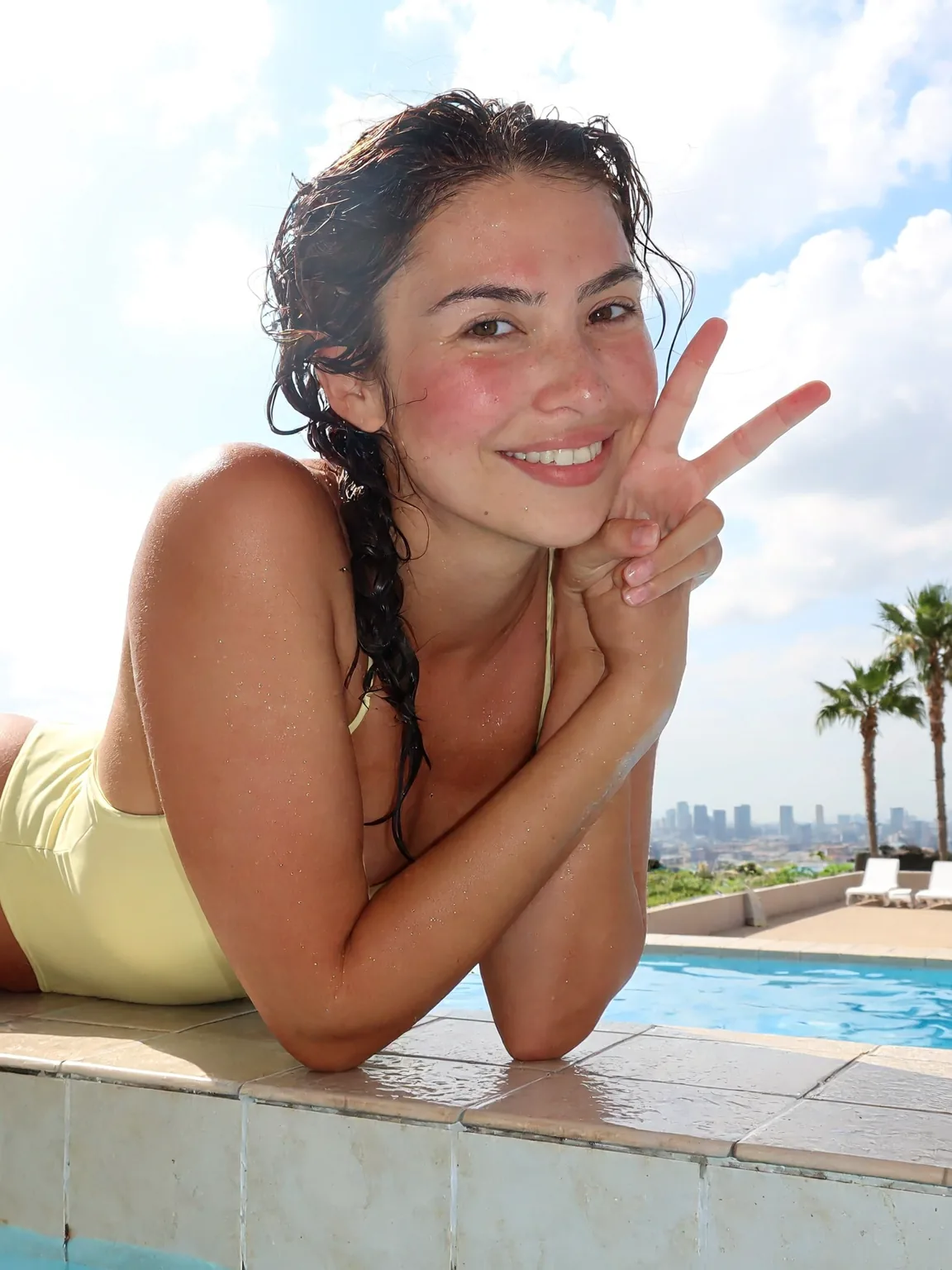
The poolside photo used as input
Input

Prompt: "Repaint Image 1 as a loose watercolor illustration on textured paper, keeping the same woman, her pose, the peace sign and the pool." The pose, the braid and the pool stayed in place while the whole picture turned to paint. It took 20 seconds.

Picture to video

Turn your picture into a MiniMax H3 video

Every MiniMax H3 video model here can start from a picture. The still becomes the first frame, so the prompt only has to describe what moves.

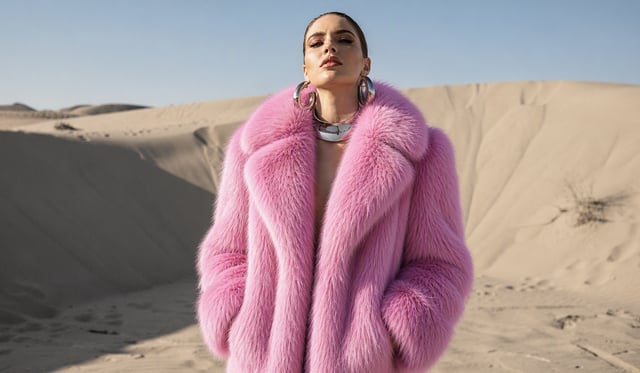
An editorial still that starts to pose

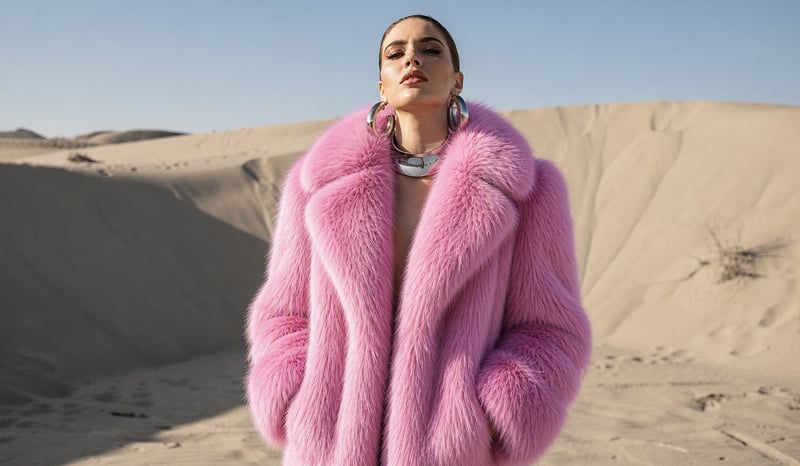
This MiniMax H3 Max Turbo sample starts from the fashion still shown as its first frame. The coat, the face and the dunes all come from the still; the prompt asks only for a run of confident editorial poses.

Prompt

High-fashion editorial photoshoot of a model, captured in a series of dynamic editorial poses: Confident, composed expressions throughout. Shot on a medium-format camera, 80mm lens, f/5.6, tack-sharp focus. Studio lighting with a single large softbox key and a subtle rim light, seamless muted-grey backdrop, clean shadows. Vogue-style composition with generous negative space and intentional cropping, fine film grain, rich fabric texture, magazine-cover quality, ultra-detailed.

Keep
Check that the clothes, the face and the background still match the first frame once the poses change.
Change
This prompt mentions a studio backdrop. When you reuse it with your own picture, describe your picture's setting instead, or leave the setting out.
Animate a picture
A fashion model in a pink fur coat standing against desert dunes
Start frame: a fashion still against desert dunes
Start frame
Sample · MiniMax H3 Max Turbo
The MiniMax H3 lineup

MiniMax H3 video models on this site

All five can start from a picture; Lip Sync also needs an audio clip. They differ in what they are for, how long and how large the clip can be, and the credits per second.

DefaultMiniMax H3 Max TurboMost clips, at the lowest price2 to 15 seconds480P, 768P or 1080P5 at 480P, 8 at 768P, 20 at 1080PTry
MiniMax H3 MaxClips that need sound synced to the picture5 to 15 seconds480P, 768P or 1080P10 at 480P, 20 at 768P, 35 at 1080PTry
MiniMax H32K clips5 to 15 seconds768P or 2K15 at 768P, 30 at 2KTry
MiniMax H3 Max Multi-angleA preset camera move over one still: dolly in, dolly out or crane up5 to 15 seconds480P, 768P or 1080P10 at 480P, 20 at 768P, 35 at 1080PTry
MiniMax H3 Max Lip SyncA portrait that talks or sings along to your audio5 to 14.8 seconds, as long as the audio480P, 768P or 1080P10 at 480P, 20 at 768P, 35 at 1080PTry
How it works

How to go from prompt to H3 video

  1. 1

    Write a prompt or add photos

    Describe the subject, the framing and the light, or upload reference photos and say what to keep and what to change. The prompt rewrites above are a good place to start.

  2. 2

    Pick a shape and size, then generate

    Choose the aspect ratio and 1K, 2K or 4K; the generator shows the cost before you start. 1K and 2K cost the same, so stay there while you are still changing the prompt, then make the final picture at 4K.

  3. 3

    Turn the picture into an H3 video

    Open your picture in image to video, pick MiniMax H3 Max Turbo or H3 Max, describe only what should move, then choose the length and size.

Pricing

Plans and credits for pictures and H3 video

Plans add credits to your account. A picture costs credits by size, and a video costs credits per second by model and resolution; the generator shows the cost before you run.

Black Friday50% OFF
Ends Nov 30--days--hrs--min--sec
  • Up to 333 images or 40 videos

    • All models, including Premium
  • Up to 833 images or 100 videos

    • All models, including Premium
  • Up to 2,500 images or 300 videos

    • All models, including Premium

· No card required

Failed runs are refunded automatically · Cancel anytime

What's new

New models, tools and improvements, newest first. Each update says what changed and where to try it.

See all updates
New model

MiniMax H3 Image is here

MiniMax's new open-weight image model is now in the image generator, for 2K and 4K pictures and edits with up to 16 reference images.

H3 Image questions

Picture to H3 video

Make your first picture, then make it move

Write a prompt or upload a photo, start free, and turn the result into a MiniMax H3 video.