

Changelog
What's new in H3 Image
New models, tools and improvements, newest first. Each update says what changed and where to try it.
November 2026
MiniMax's new open-weight image model is now in the image generator, for 2K and 4K pictures and edits with up to 16 reference images.
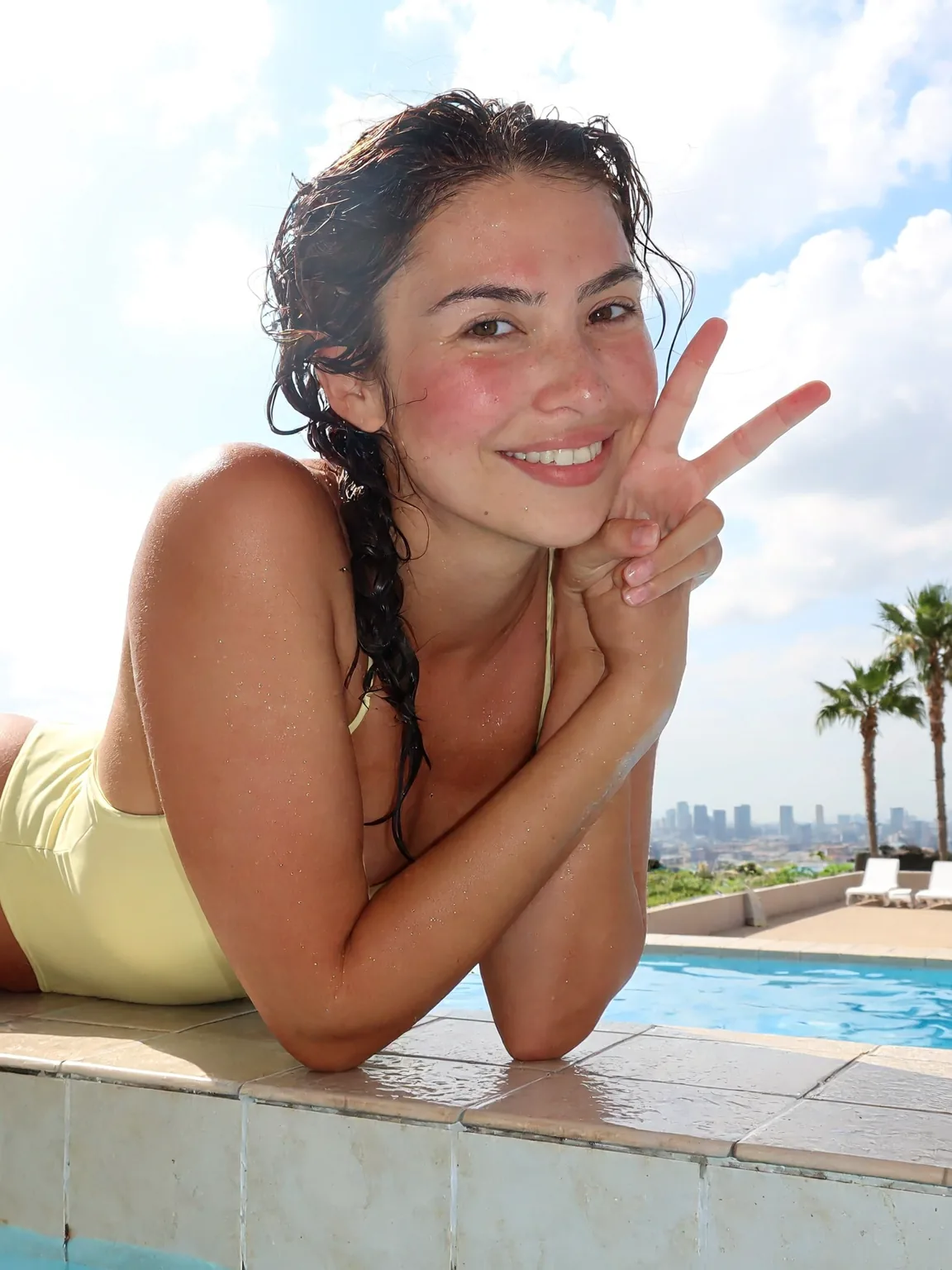
MiniMax released H3 Image, its open-weight image model, on November 11, and the image generator here now opens on it. The homepage shows our first results with their prompts, each run once at 2K on release day.
- Make a picture from a prompt at 2K or 4K.
- Upload up to 16 reference images and describe the edit.
- Turn a picture you make into a MiniMax H3 video.
A bright phone snapshot of a smiling woman in her mid-twenties leaning on the tiled edge of a rooftop swimming pool, arms folded on the edge, one hand making a peace sign near her face. Wet dark hair in a loose braid over one shoulder, a pale yellow one-piece swimsuit, water droplets on her skin and a light sunburn blush on her cheeks. Behind her: blue pool water, white sun loungers, two palm trees and a hazy city skyline under a cloudy summer sky. Midday sun, slightly overexposed highlights, eye-level framing a little off center, natural skin texture, casual and happy.
A new page runs the same seven prompts on MiniMax's H3 Image and Pruna's P-H3-Image, two different models with almost the same name.


Many results for "h3 image" pointed to P-H3-Image before MiniMax's own model came out. The comparison page puts both models' answers to the same seven prompts next to each other, so you can see how they differ.
- Compare seven prompts on both models, picture by picture.
- Tell the two apart: P-H3-Image is Pruna's model fine-tuned from MiniMax H3's open weights, released on November 3.
An ordinary phone photo taken by a friend across the table in a busy cafe: a woman in her late twenties with messy dark hair and a gray knit sweater, mid-laugh, holding a paper coffee cup. Eye level, slightly tilted framing, her face a little off center. Mixed light from the window and warm ceiling bulbs, a bit of motion blur on her hand, other customers soft in the background. No studio lighting, no retouching, visible skin texture.
A new guide lists every H3 Image download on Hugging Face with its size, plus the tools that run it, VRAM notes and the license terms.
The Run H3 Image locally guide collects what MiniMax's model card and Hugging Face say about running the open weights, checked on November 11; we have not run the files ourselves. If your machine can't keep up, the generator here runs the official model in your browser.
- Find the official 68.65 GB download and the community GGUF, FP8 and Mac MLX versions.
- See which tools run it: ComfyUI, Diffusers, SGLang and vLLM-Omni.
- Check where the license does not apply: the US, the EU, the UK and South Korea.
The site opened with two video tools on MiniMax H3: text to video and image to video, 2 to 15 seconds long.

The site opened with two video tools, text to video and image to video, both running MiniMax H3 Max Turbo. Write what happens and how the camera moves, or start from a picture you already have.
- Describe the scene and the camera, and get a 2 to 15 second video at 480P, 768P or 1080P.
- Upload a photo and say what should move; the video keeps your image's look.
Create a 5-second live-action Hollywood film shot in a bright university library. A thoughtful professor stands in a medium shot, turns slightly toward an unseen student, and calmly says, “What is the real?” Natural daylight, professional cinema camera, realistic performance, subtle camera drift, no close-up, no dark lighting, perfect lip sync.